Computing Tech

Best Pellet Grill Of 2022


Best Pellet Grill of 2022

The summer grilling season has arrived. And one of the best ways to satisfy your backyard cookout cravings is to invest in a pellet grill. These contraptions merge the smokey goodness you get from cooking over a campfire or charcoal with the automatic ease of gas.

These days however, store shelves are lined with tons of options. That can make choosing a grill model that's right for you tricky. Don't worry, though. I've gathered some of the most popular pellet grills and put them to the test.

Multiple rounds of burgers, chicken, and ribs later, I've settled on my favorite picks. So if you've been mulling over a pellet grill from Traeger, Weber, Z Grills or others, you've come to the right place. This list is updated periodically. (You can also check out our tips for becoming a grilling expert and the best grilling tools and gadgets you can buy this season.)

I'm just as impressed with this Traeger wood-fired pellet grill today as I was a few years ago. Whether searing at high heat or smoking low and slow, the Timberline 850 exerts tight control over its cooking temperature.

It's also well insulated against the elements. That means you can operate this grill in any weather, be it in snow, rain or blazing sunshine. It's an extremely efficient grill too, burning through pellets relatively slowly.

Best of all, everything I cooked inside the Timberline came out with a deliciously smokey flavor. That includes barbecue standards like pork ribs and beef brisket. The Traeger also elevated more mundane fare. For example, burgers were lightly seared yet juicy inside. Likewise, roasted chicken had nicely crisp skin and tender meat.

There are hundreds of recipes within Traeger's library too. All are accessible through the company's mobile app. And when linked to Wi-Fi, the grill can run these recipes as cooking programs on command right from your phone. 

The SmokeFire Stealth Edition is Weber's latest iteration of its SmokeFire line of pellet grills. Revamped for 2022, this model sports an almost all black exterior save for a few silver highlights. The Stealth Edition is also equipped with a built-in lighting system for cooking under the cover of darkness.

The SmokeFire EPX6 provides more cooking area to work with than the Traeger Timberline 850 as well (1,008 square inches as opposed to 850). That said, the SmokeFire didn't demonstrate as much control over its internal temperatures, keeping it from the top spot on this list.

This was especially noticeable while cooking low and slow for barbecue. During these cooks, heat levels at times oscillated between 15 to 20 degrees above my target temperature (225 F). Even so, pork ribs cooked on the Weber had lots of delicious smoky flavor.

This tendency to run hot did have some advantages, though. When I set the grill for 400 degrees F, the SmokeFire roasted a 5-pound whole chicken in 58 minutes. It was also hands-down the best tasting bird I've ever personally cooked this way on a pellet grill. The skin was fantastically crisp yet phenomenally juicy.

The Smokefire also managed to give a decent sear to burgers. At its highest heat setting though, the grill slightly overcooked the interior of these patties.

You don't have to spend an exorbitant amount of cash to net a quality pellet grill. A perfect example of this is the Z Grills 700D4E. Despite its relatively low price, this backyard cooker offers quite a bit.

The grill handled low and slow cooks well, staying within about 10 degrees of my target temperature (225 F) for hours on end. Pork ribs I cooked this way were tender and packed plenty of smoke flavor.

Chicken I roasted on the Z Grills 700D4E wasn't bad either. While its skin was nowhere near as crisp as I like, the meat was tasty and not overdone. With a maximum temperature of 450 degrees F though, searing burgers isn't this grill's strength. While these patties were juicy and cooked through, they had virtually no crust to speak of. 

Z Grills does bundle some nice extras with the grill. These include a pair heat-resistant gloves plus two meat temperature probes.

Other models we've tested

This $497 Cuisinart model is even more affordable than the Z Grills 700D4E. It offers a sizable 862 square inches of cooking space too. Even so, it burned through its Cuisinart-branded pellets faster than other grills consumed their own fuel. The grill also couldn't manage to sear my test burgers either. 

The $1,299 second-gen SmokeFire EX6 from 2021 is a decent pellet grill option. However, I recommend the newer SmokeFire EX6 Stealth Edition model. Not only does the Stealth come with grill lighting, it also lacks the pellet flow issues I encountered on the EX6 from 2021.

How we test pellet grills

To determine the best pellet grill and figure out just how these products perform under a variety of cooking scenarios, we conduct three tests. Based on different meats, methods and heat settings, these tests show us how efficiently and evenly a grill does (or doesn't) cook.


Ribs

We wired each grill with a sensitive thermocouple thermometer at grate level. This sensor is also attached to a laptop running data logging software.


Next we ignite the grill and set the temperature to 225 degrees F and start recording. Then we remove the outer membrane on a rack of pork back ribs and season it with an all-purpose rub we use for ribs and chicken. Once the grill's thermometer reports that it has hit our desired temp, we place it on the grates for at least three hours with the lid closed the entire time.


Chicken

To test a midrange cook time at medium heat settings, we grill a whole chicken at 400 degrees F. Once we've trimmed and seasoned the bird, we insert one temperature probe into each chicken breast, for a total of two probes per chicken. To keep our results as fair as possible, all the chickens are as close as possible to 5.5 pounds.

These temperature probes are connected to a data logger and laptop with software that records the internal temperature of each chicken breast. Each chicken cooks until the temperature in both breasts reaches a food-safe 165 degrees F. We also record the temperature at grill grate height. Grilled chicken should have a crispy skin and meat that is cooked through fully but not dry.


Burgers

Burgers are our final test for our grill reviews. We measure out 5.3 ounces of 80/20 ground beef and press them into uniform patties. Those patties go into a grill basket and we insert a temperature probe into the center of each patty at a 45-degree angle.

With the grill preheated for 10 minutes at its highest temperature setting, the basket goes onto the grill. After six minutes of cooking, we flip the basket and monitor internal temperature. Once the last burger in the basket reaches 145 degrees F, the batch is finished. A good burger in this test is one that has both a nice outside char and a slightly pink center.

Burger testing points out any hot spots across the grill's cooking surface if one burger consistently reaches 145 F before the others in every round.


Source
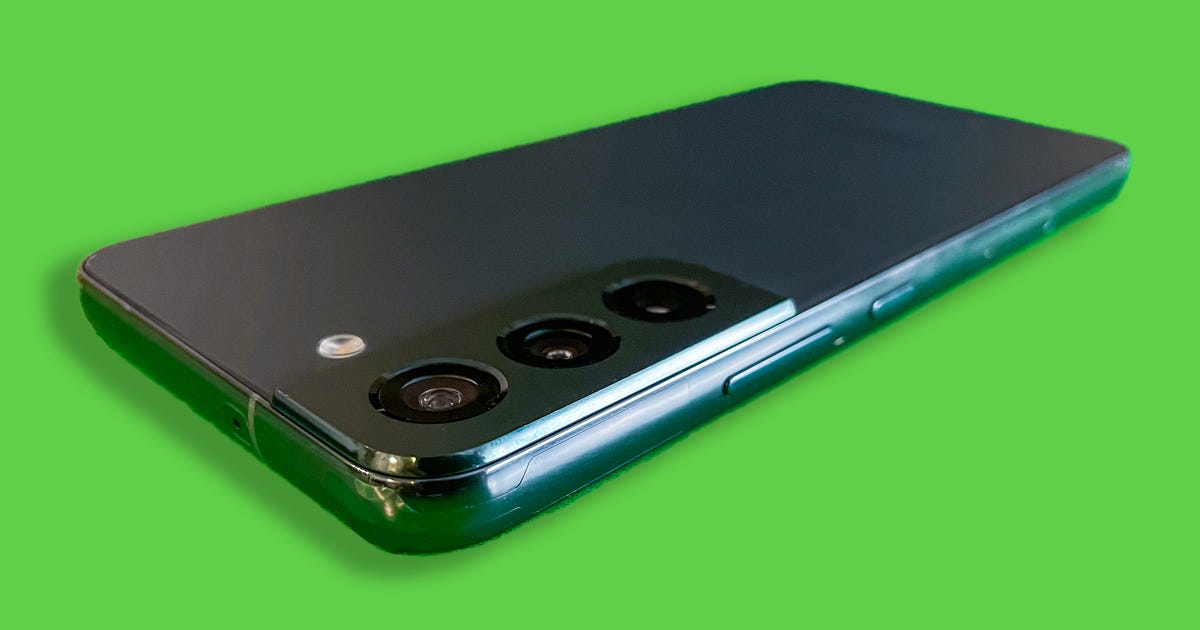
Samsung Galaxy Source Code Compromised In Data Breach


Samsung galaxy source code compromised in database samsung galaxy source code compromised in data structure samsung galaxy source code compromised in data processing samsung galaxy source code compromised in data de sau samsung galaxy source code compromised in tagalog samsung galaxy source code compromised in spanish samsung galaxy source code compromised instagram samsung galaxy source code compromised in english
Samsung Galaxy Source Code Compromised in Data Breach


Samsung Galaxy Source Code Compromised in Data Breach

A cybersecurity breach has compromised Samsung source code data related to the operation of its Galaxy devices, the company said Monday. However, no personal information of Samsung customers or employees was exposed, according to an initial analysis done by the company. 

"We were recently made aware that there was a security breach relating to certain internal company data," Samsung said in an email to CNET. "Immediately after discovering the incident, we strengthened our security system." 

Samsung has not named who it believes is responsible for the breach, but Lapsus$, a hacking group that reportedly stole data from Nvidia, claimed responsibility on Friday after posting a 190GB torrent file to Telegram, according to Bloomberg. 

Samsung said that it doesn't expect the breach to impact its business or customers and that it has put preventive measures in place to block future incidents. 


Source

Verizon Fios Begins Offering Multi-gig Home Internet Speeds In NYC


Verizon fios bensalem verizon fios verizon fios customer service verizon fios login verizon fios internet verizon fios login account verizon fios deals verizon fios packages verizon fios map verizon fios bill payment verizon fios plans verizon fios cable verizon fios tv

Verizon Fios begins offering multi-gig home internet speeds in NYC


Verizon Fios begins offering multi-gig home internet speeds in NYC

After Ziply Fiber and AT&T nabbed headlines in January with announcements about their new multi-gig home internet plans, Verizon has stepped forward with news of its own. Beginning Tuesday, select areas of the New York City market will be able to sign up for the Fios 2 Gigabit Connection plan, which offers upload and download speeds as high as 2.3 gigabits per second. 

Verizon Fios, the company's 100% fiber-optic home internet service, is available in eight Northeastern states and the District of Columbia. In most markets, it offers three plans: Fios 300 (300 megabits-per-second download and upload speeds), Fios 500 (500Mbps download, upload) and Fios Gigabit (940Mbps download, 880Mbps upload). 

Now, some customers in the Big Apple will be able to try out the fastest plan the provider has yet to offer. Fios 2 Gigabit Connection will feature download and upload speeds between 1.5 and 2.3 gigabits per second, according to a press release. With auto pay enabled, the plan will cost $120 a month, which includes a router rental, a Wi-Fi extender (if requested, at no extra charge) and 2 terabytes of cloud storage.

Additional perks to entice new customers are a $200 Verizon gift card, a free year of AMC Plus and Disney Plus, and $300 off a Stream TV soundbar. Customers can also save $20 a month with select unlimited wireless plans.

Like all Fios plans, the Fios 2 Gigabit Connection tier has no data cap and requires no annual contract. Customers who order online will also have the $99 setup fee waived.

While the Fios 2 Gigabit Connection plan is available immediately in portions of New York, it won't be unveiled in additional markets until sometime later this year.


Source

Acer Aspire E1-572-6870 Review: Simple Win 8 Laptop For Simple Needs


Acer aspire e1 572 6870 review simple win 8 laptop for music production acer aspire e1 572 6870 review simple win 8 laptop for kids acer aspire e1 572 6870 review simple win 8 laptop for seniors acer aspire e1 572 6870 review simple wind acer aspire e1 572 6870 review simple wings acer aspire e1 572 6870 review simple path acer aspire e1 572 6870 review simple definition acer aspire e1 572 6870 review phim acer aspire e1 572 6870 review synonym acer aspire e1 572 6870 review of systems acer aspire e1 572 6870 review cong acer aspire e1 572 6870 best buy acer aspire e1 572 6829 series notebook acer aspire e1 572p 6403 acer aspire e1 572 6497 acer aspire e15 acer aspire e1 572 acer aspire laptop acer aspire 1

Acer Aspire E1-572-6870 review: Simple Win 8 laptop for simple needs


Acer Aspire E1-572-6870 review: Simple Win 8 laptop for simple needs

The Acer Aspire E1-572-6870 puts a fourth-gen Intel Core i5 processor -- a 1.6GHz Intel Core i5-4200U, to be exact -- and Intel HD Graphics 4400 into a sub-$500 15.6-inch laptop.

The CPU and integrated graphics combo has shown up in more than a few expensive ultrabooks we've tested, and has turned in very good performance and excellent battery life. This E1 is the least expensive laptop we've seen to feature them, though, which is what makes it a bit more attractive to those who have an aversion to older components.

The fact is, to use the newer processor, other corners have to be cut to keep the price low. In this case it seems the processor is surrounded by less power-efficient components and in a chassis that feels like a budget laptop.

Sarah Tew/CNET

On the upside, it doesn't necessarily look like a budget laptop. With just a simple silver Acer logo on top, the plain all-black body blends right in at the coffee shop, lecture hall, or conference room. It is all plastic, though, and there's noticeable flex on the lid and keyboard deck, so it's nothing you can be too rough with.

The plastic does keep it lightweight, though: it weighs just 4.5 pounds, and traveling with its power adapter brings that up to 5 pounds. Considering its size -- it measures 1 inch high by 15 inches wide by 10.1 inches deep -- that's very reasonable, and the rounded corners and edges make it easy to slide in and out of a bag.

Sarah Tew/CNET

If you're not planning to hook up to an external display at all, the 15.6-inch LCD gives you a fair amount of room to work and play. Its 1,366x768-pixel resolution is typical for its class, but it's not the brightest display. Coupled with its glossy face, you might have trouble seeing things in bright direct lighting. (Don't do that and you should be fine.)

Viewing off to sides is better than most; there's some color loss, but it really only inverts when viewed from below, so just make sure it's appropriately angled up. Also, it's not a touch screen, which isn't a surprise at this price, but makes using Windows 8 a little less enjoyable.


Acer Aspire E1-572-6870 Lenovo IdeaPad Flex 14 Samsung Ativ Book 9 Lite
Price $579 $999 $799
Display size/resolution 15.6-inch, 1,366x768 14-inch, 1,366x768 touch screen 13.3-inch, 1,366x768 touch screen
PC CPU 1.6GHz Intel Core i5 4200U 1.6GHz Intel Core i5 4200U 1GHz AMD A4 Quad-Core
PC Memory 4,096MB DDR3 SDRAM 1,600MHz 9,192B DDR3 SDRAM 1,600MHz 4,096MB DDR3 SDRAM 1,600MHz
Graphics 32MB Intel Graphics 4400 1792MB Intel Graphics 4400 512MB AMD Radeon HD 8250
Storage 500GB 5,400rpm hard drive 128GB SSD hard drive 128GB SSD hard drive
Optical drive None None None
Networking 802.11b/g/n wireless, Bluetooth 4.0 802.11b/g/n wireless, Bluetooth 4.0 802.11b/g/n wireless, Bluetooth 4.0
Operating system Windows 8 (64-bit) Windows 8 (64-bit) Windows 8 (64-bit)

Without a touch screen, you can instead use the touch pad for swiping in from the sides to do things like switch between open windows or popping out the Charms bar. There are, of course, other ways to do these things, but it's nice that the touch pad support is there if you want it. The touch pad is responsive, and your fingers easily glide across its surface. There's support for multitouch gestures for scrolling or pinch zooming in and out.

Instead of a large click pad, the E1 has a bar along the bottom of the touch pad for left and right clicks. The thing is, it seems like the design originally had separate buttons because there's a dead spot in the middle of the bar. This means if you press down toward the middle of the bar instead of out toward the edges, nothing happens. Not the end of the world, but frustrating nonetheless.

Sarah Tew/CNET

The keyboard, on the other hand, is a pleasure to type on. After using many island-style keyboards with almost no key travel, the fact that you can actually feel this Aspire's keys move is really nice. The keys are just large enough and still have good spacing, and there's a number pad as well.

It's not backlit, so if that's a must-have for you, you'll need to spend more money. Also, because of the touch pad's size and positioning, there's not a lot of room to rest your left palm. You'll probably want to crank up the palm-check setting on the touch pad, too, otherwise the cursor might be a bit too jumpy for those who drag their palms.

Sarah Tew/CNET

The laptop's stereo speakers are on the bottom of the laptop and fire downward. The feet on the bottom of the chassis keep them from being blocked entirely, but it's still not the best place to position them. It doesn't help that they don't get all that loud, either. They do sound good, though, so that's something.

It's worth noting that unlike many thinner and lighter laptops that have sealed bodies, the E1 can be easily opened up. That gives you access to the 5400rpm 500GB hard drive and 4GB of memory. Should you want to boost performance by replacing the hard drive with a solid-state drive or bump up the amount of RAM to 8GB (there's one open slot), you can do it with little difficulty.

Likewise, you can quickly pop off the battery pack at the back and replace it when you need to -- no service call necessary.

Video HDMI and VGA
Audio Stereo speakers, headphone/microphone jack
Data 2 USB 2.0, 1 USB 3.0, SD card reader
Networking Ethernet, 802.11n Wi-Fi, Bluetooth
Optical drive No

What's a little trickier is putting in an optical drive. There is a spacer for one on this model and, if you don't look carefully enough, you might think it has one. It doesn't. Another configuration does include a DVD burner, so if having a built-in optical drive is a necessity, it's an option.

The Aspire E series is available in several configurations, which includes Windows 7 models starting around the $360 mark. The configuration for the Aspire E1-572-6870 is certainly a good deal and worth the extra $100.

Sarah Tew/CNET

The Aspire E1-572-6870 has the essential ports and connections that most people will need. It's nice that Acer didn't drop Bluetooth or an SD card slot to save a few bucks and even included Gigabit Ethernet.

As for performance, this configuration probably isn't going to blow you away. However, if you're coming from a laptop that you paid about the same amount for a few years ago, this should be an all-around improvement. It did well on our performance benchmarks, but compared with other, more expensive systems running this processor and integrated graphics paired with better surrounding components, it's definitely slower.

The key question is: does it matter for your needs? For general everyday tasks like Web surfing, word processing, e-mail, streaming music or video, or editing JPEG photos, it's sufficient. In anecdotal testing, applications launched with reasonable load times and files weren't noticeably slow to open. It can play casual games, but more complex games will need to be turned to lower settings to get playable frame rates. Running several things at once might drag the system down some, but that's not out of the ordinary. Basically, it can handle some demanding tasks, it's just a matter of how long you're willing to wait for them to finish.

Sarah Tew/CNET

The big benefit we've seen from having a fourth-gen Intel Core i5 processor hasn't been performance, though, it's been battery life. And that's probably the biggest disappointment here. On our video playback battery drain test, the Aspire E1-572-6870 died at 3 hours and 16 minutes.

With some power management and a less-demanding workload, you should be able to reach the 4 hours of life Acer claims for the laptop. I wouldn't expect much more than that unless you're really not doing much more than typing on a dimmed display. Having the power-efficient Haswell processor probably helps in general, but when the surrounding components aren't as efficient, well, you end up with barely more than 3 hours of battery life.

Conclusion
Getting a 15.6-inch laptop for less than $500 with a battery life up to 4 hours is a pretty good deal and that's what you get with the Acer Aspire E1-572-6870. Having the Intel Haswell processor at this price is a nice touch, but the rest of the Aspire E1 is decidedly entry-level, making it only a good value if you just need a nice laptop for everyday tasks.

Find out more about how we test laptops.

System configurations:

Acer Aspire E1-572-6870 Windows 8 (64-bit); 1.6GHz Intel Core i5 4200U; 4GB DDR3 SDRAM 1,600MHz; 32MB (Dedicated) Intel HD Graphics 4400: 500GB 5,400rpm hard drive

Samsung Ativ Book 9 Lite Windows 8 (64-bit) 1GHz AMD A4 Quad-Core; 4GB DDR3 SDRAM 1600MHz; 512MB AMD Radeon HD 8250; 128GB Samsung SSD

Sony Vaio Fit SVF14A15CXB Windows 8 (64-bit); 1.8GHz Intel Core i5 3427; 8GB DDR3 SDRAM 1600MHz; 32MB (Dedicated) Intel HD 4000; 750GB Toshiba 5400rpm hard drive

Lenovo IdeaPad Flex 14 Windows 8 (64-bit); 1.6GHz Intel Core i5 4200U; 8GB DDR3 SDRAM 1,600MHz; 1792MB Intel HD Graphics 4400: 128GB Samsung SSD


Source

Computer and Tech News

Search This Blog

Menu Halaman Statis

Contact Form

Name Email * Message *

histat